
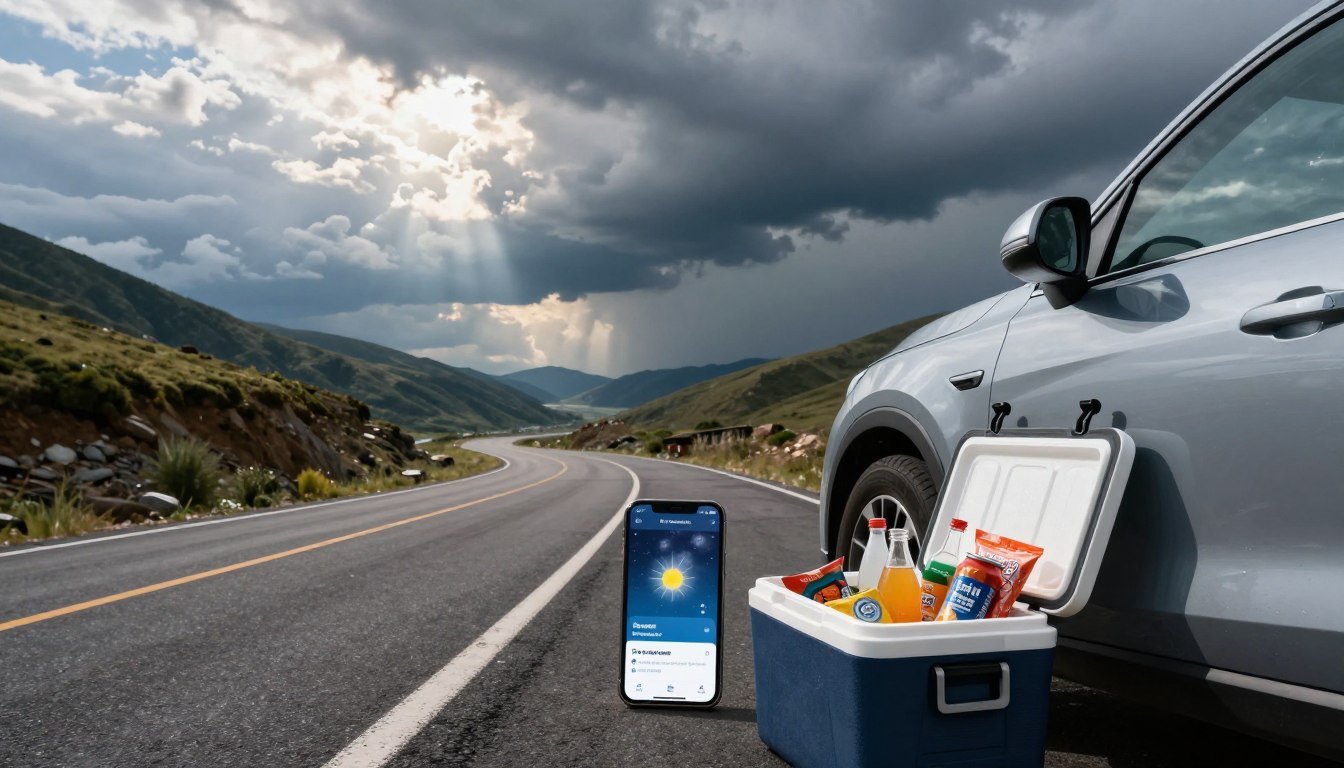
Your phone is at 8 percent, the cooler is warming up, and the weather app says a storm is heading your way. I have packed badly before, so I know the special panic of finding three cables and no plan.
A budget portable power station for road trips and home backup can solve both problems without turning the purchase into a second mortgage. One unit can serve gadgets at camp and cover a few basic needs during monsoon outages.
It still has limits. One battery cannot run every household appliance indefinitely, no matter how cheerful its display looks. Usable AC output means the energy a power station can actually deliver through its AC outlets after internal losses.
I’ll show you how to match one unit to both jobs, starting with what needs power.
Key Takeaways
- List your essential devices for travel and outages before shopping.
- Capacity, measured in watt-hours, helps estimate how long a station can run loads.
- Output, measured in watts, shows which devices it can run at once.
- Compact units suit phones and lights; larger loads need more output.
- One station can serve both settings when its runtime and load fit your needs.
What do you actually need to keep running?
At camp, you may need a phone charge and a light; at home, the router and fridge may matter more. Those are different jobs, and the same device can shift from nice-to-have to essential when the power goes out.
The size you need depends on your devices, their wattage, and how long you need them. Start by sorting your road-trip load from your outage load, before shopping for portable power.
The road-trip load
For a camping trip, list phones, laptops, lights, and a car fridge. Off-grid camping can make each one feel important, but not every device needs to run all day. A laptop for work may be essential; a speaker for the camp playlist can wait.
Note how often you use each item. A phone may need a brief top-up, while a fridge runs on and off throughout the trip. Those patterns matter as much as the number of devices in your bag.
The outage load
At home, consider a router, a fan, lights, and the refrigerator. Add necessary medical equipment to your essential list. A microwave or coffee maker may be handy, but these appliances can draw more power than small devices.
Make two lists: needs and comforts. Then use these steps to keep the first list honest:
- Write down each device you want to run.
- Check its label for watts or its power draw.
- Estimate how many hours you need it each day.
- Mark essentials separately from nice-to-haves.
- Allow room for a motor’s startup surge.
Start with the devices you truly need, then match the station to their wattage and hours of use.
Labels can be hard to find, so check the device, charger, or manual. A motor may briefly need more power when it starts than while it runs.
A useful shopping list begins with two numbers: energy used over time and power needed at once. Those measurements make product comparisons much clearer.
How do capacity and output affect runtime?
An electric kettle can drain a battery far sooner than a phone because it draws much more power. Capacity and output answer different questions: how long, and what can run.
Watt-hours describe stored energy; watts describe the load. Usable AC output is the energy a power station delivers through its AC outlets after internal losses.
Watt-hours estimate how long
Capacity is measured in watt-hours, or Wh. For a simple estimate, divide usable watt-hours by the device’s watts. A 200 Wh usable supply running a 20 W device gives about 10 hours before other losses.
That is only a rough estimate. Conversion losses reduce energy, cycling appliances turn on and off, and startup surges can change the result. A refrigerator does not draw its running load every minute.
Testing finds that portable power stations deliver about 60%-93% of claimed capacity as usable AC output. The range is broad, so claimed capacity alone does not promise the same runtime from every unit.
Watts determine what can run
Output, measured in watts, is the power station’s limit for running devices. A 200 W rating describes output, not runtime. Runtime depends on the connected load and usable energy.
Typical loads vary widely. A phone charger is a small demand; an electric kettle can exceed the output of many compact stations.
| Device | Typical running or charging load |
|---|---|
| Phone | 5-20 W |
| Laptop | 30-100 W |
| LED light | 5-15 W |
| Compact refrigerator | 40-100 W while running |
| Electric kettle | 1,000-1,500 W |
Check both ratings before you buy. Comparing products makes sense once you know the load and the runtime you want.
How to choose a budget portable power station for road trips and home backup
The best comparison puts capacity, output, and weight side by side. Each number affects a different part of the choice: runtime, appliance fit, and how much you want to carry.
This practical shortlist is a comparison, not a definitive ranking of the top 10 portable power stations. A compact unit may suit travel better, while a larger model can handle more demanding loads.
| Model | Claimed capacity (Wh) | Max AC output (W) | Weight (lb) |
|---|---|---|---|
| Anker SOLIX C300 | 288 Wh | 300 W | 9.1 lb |
| Anker 521 | 256 Wh | 200 W | 8.4 lb |
| BLUETTI Elite 100 V2 | 1,024 Wh | 1,800 W | 25.0 lb |
| Goal Zero Yeti 700 | 677 Wh | 600 W | 21.2 lb |
| EcoFlow Delta 3 | 1,024 Wh | 1,800 W | 28.1 lb |
For camping, a lighter power station may be easier to load and move. For home backup, higher capacity and output may matter more than saving a few pounds.
The figures narrow the field quickly. If your main goal is charging small devices, a simple device-charging pick may be enough.
Which budget pick suits phones and laptops?
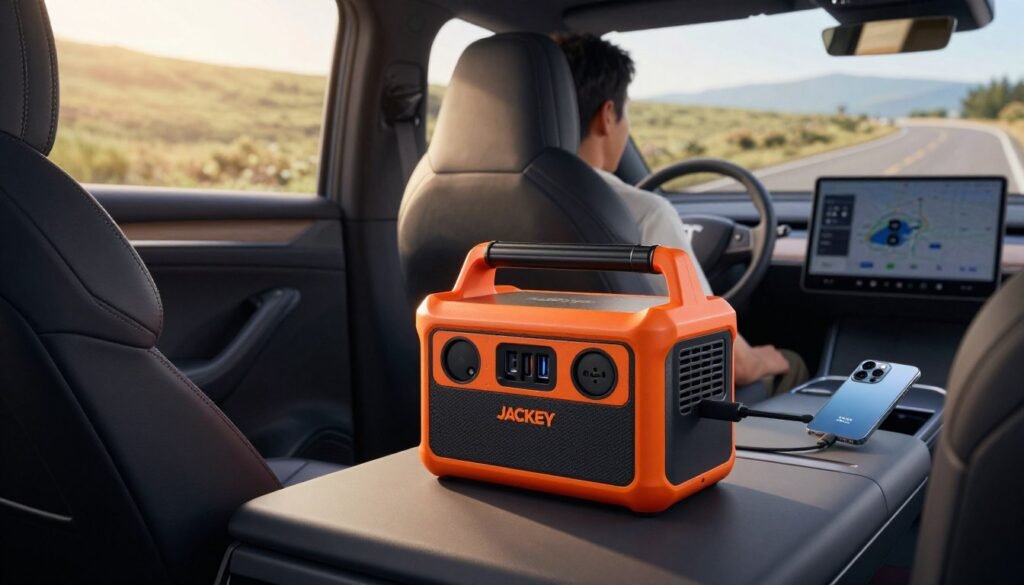
The phone is low, the laptop needs a charge, and the car’s back seat has become a tiny device-charging convention. For small loads, the Jackery Explorer 300 is my pick.
It suits phones, laptops, and LED lights better than high-wattage appliances. Its claimed capacity is 293 Wh, with 260 Wh of measured usable energy output and a 300 W AC inverter.
The Jackery Explorer 300 weighs 7.1 lb and has two AC outlets, four USB-A ports, one USB-C port, and a 12 V car outlet. Its listed price is $289. That mix makes it easy to carry and useful for common gadgets.
It does not have a built-in light or a runtime estimate. I would not count on it for a kettle, a large appliance, or a fridge that needs long support. Its low output sets a clear boundary.
That is why I see it as a best budget portable power station for device-first buyers. It gives you several ways to charge without paying for a much larger unit you may not need.
Think of it as a roomy upgrade from battery packs, not a home backup plan for every appliance. It is handy for charging on a road trip, but not a cure for every power problem.
A device-first pick is not a substitute for stronger AC output. If you need more than small loads, consider a bigger all-rounder.
Is the Anker SOLIX C1000 Gen 2 a useful middle ground?
Yes, the Anker SOLIX C1000 Gen 2 is a stronger two-job candidate than a pocket-size unit, with one noise caveat. It brings useful power for trips and basic home backup.
Its 1,800 W maximum AC output and six AC outlets suit laptops, tools, and modest appliance use. The claimed capacity is 1,056 Wh, with 890 Wh of measured usable energy output.
It also has two USB-A ports, two USB-C ports, and one 12 V car outlet. At 25.2 lb, it is portable for car camping, though not the sort of thing I would casually carry around all afternoon.
The listed price is $799. In testing, it reached a full charge in 56 minutes. That fast recharge can help when time matters, but the fan can be loud while the station works.
That fan is the trade-off: useful power can come with a noticeable soundtrack. The station also does not support expansion batteries, which limits buyers who plan to grow a backup setup later.
For off-grid camping or modest home backup, its output and port selection leave room for more than phone charging. It is not a whole-home answer, and the lack of expansion matters if your plans may change.
If your car-camping routine is already set, another option may fit those habits better. The Jackery Explorer 1000 V2 offers a useful balance for camping and outage use.
Does the Jackery Explorer 1000 V2 fit camping and outage use?
Loading a car for a camping trip makes useful capacity matter more than shaving every pound. The Jackery Explorer 1000 V2 can suit family car camping and practical outage backup.
Its 1,070 Wh claimed capacity and 1,500 W maximum AC output can support a camp fridge, lights, and device charging. Measured usable energy output is 910 Wh, and the unit weighs 24.4 lb.
It has three AC outlets, one USB-A port, two USB-C ports, and a 12 V car outlet. The listed price is $799. For a camping trip, that mix gives several people ways to keep essential devices charged.
The unit is too heavy for backpacking. It supports up to 400 W of solar input and reached a full charge in 1.58 hours in testing.
There is a compatibility catch: solar charging works only with Jackery-branded panels. That limits your options if you already own a different solar panel.
For home backup, the capacity and output can cover selected essentials, not every household appliance for an unlimited stretch. Decide which loads matter before treating it as a storm plan.
Buyers who want smaller, lighter gear should consider a compact mid-size alternative. The EcoFlow River 2 Pro trades some capacity and output for easier carrying.
What can a compact mid-size station handle?
The EcoFlow River 2 Pro is easier to carry than a larger station, though it cannot run every appliance. It fills the middle ground between device-only units and heavier 1,000 Wh-class models.
Its 800 W maximum AC output and 620 Wh measured usable energy limit powerful appliances and long runtimes. Claimed capacity is 768 Wh, and measured weight is 18.4 lb.
The station has four AC outlets, three USB-A ports, one USB-C port, and a 12 V car outlet. Its listed price is $599. That setup suits charging devices, running lights, and modest loads.
For car camping, 18.4 lb is easier to manage than a heavier unit. The capacity can support small devices and selected gear, but large appliances may exceed its output.
It supports up to 220 W of solar input and reached a full charge in 1.3 hours in testing. Those features add options, but they do not change the station’s output limit.
If your needs center on phones, lights, and modest devices, this size can make sense. Bigger household loads need a step out of the compact category.
When does a large home backup unit make sense?
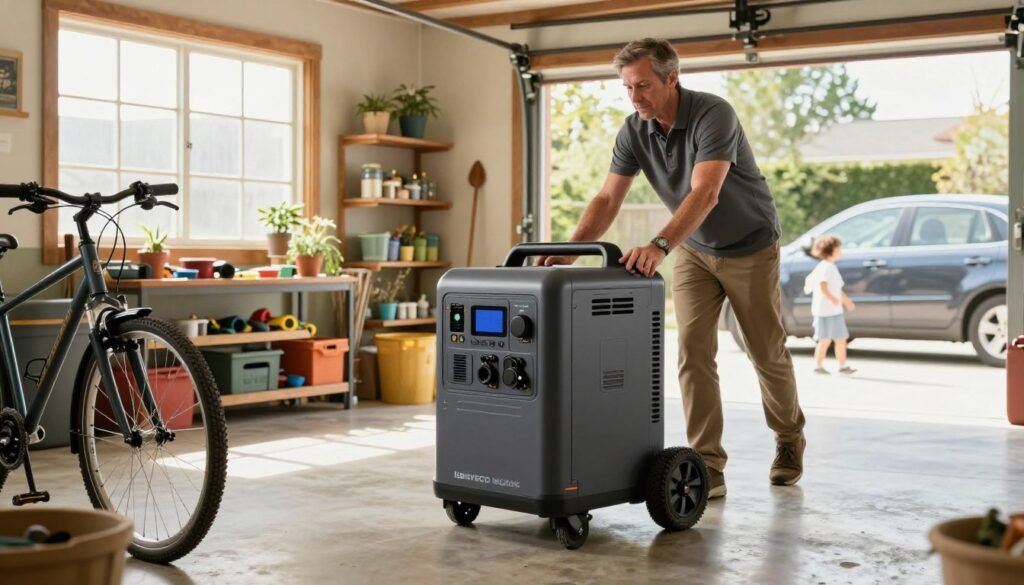
Carrying power to a campsite is different from wheeling a heavy backup unit into a garage. A large station makes sense when you need more capacity and output for selected home loads.
The EcoFlow DELTA Pro 3 has 4,096 Wh of claimed capacity and 4,000 W maximum AC output. It can suit larger loads, while still requiring you to check each appliance’s starting and running needs.
Measured usable energy output is 3,790 Wh. The unit weighs 114.1 lb, has seven AC outlets, two USB-A ports, two USB-C ports, and a 12 V car outlet.
Its listed price is $3,699. That weight and price are substantial trade-offs, so this is not a casual road-trip pick. It supports up to 2,600 W of solar input and can expand to 48 kWh.
A 3,000 W-class portable power station still needs to match appliance startup surges and running loads. A high output rating does not mean every combination of household devices will work.
There is no universal best portable power station for home backup or best power station for home power outage. The right choice depends on which loads you want to support and for how long.
Once you choose a capacity range, solar charging can extend use when conditions allow. It is an input option, not a promise of endless power.
| Model | Claimed capacity (Wh) | Max AC output (W) | Weight (lb) |
|---|---|---|---|
| EcoFlow DELTA Pro 3 | 4,096 Wh | 4,000 W | 114.1 lb |
| BLUETTI Elite 100 V2 | 1,024 Wh | 1,800 W | 25.0 lb |
| EcoFlow Delta 3 | 1,024 Wh | 1,800 W | 28.1 lb |
Can solar panels stretch your runtime?
At camp, solar panels can refill a portable power station while you make lunch or chase a tent stake across the grass. They can extend a trip, but the station and panel must work together.
Check the station’s maximum solar input before choosing panels. A panel setup that offers more power than the station accepts will not make it charge beyond that limit.
Match panel input to the station
Maximum input varies by model. These examples show why one solar panel setup does not fit every power station:
| Model | Maximum solar input (W) |
|---|---|
| Jackery Explorer 2000 v2 | 400 W |
| Anker SOLIX C1000 Gen 2 | 600 W |
| EcoFlow Delta 3 | 500 W |
| BLUETTI Elite 100 V2 | 1,000 W |
| EcoFlow Delta Pro | 1,600 W |
Check connector and voltage compatibility before connecting third-party solar panels. A plug that fits is not proof that the panel and station are a safe match.
Plan around real sunlight
Actual charging depends on sunlight, panel placement, weather, and the station’s input limit. Shade, clouds, and poor placement reduce the power a panel can send.
Point panels toward open sun and adjust them as the sun moves, if practical. A cloudy afternoon can turn a quick refill into a slow trickle, so do not plan as if the sky signed a contract.
Solar is an input option, not a promise of uninterrupted power. During an outage, conserving stored energy still matters.
How can you make a battery last through an outage?
During a blackout, the fridge, router, lamps, and phone chargers all seem urgent until the battery percentage starts falling. Choose the essential loads first, before every plug claims a seat.
Prioritize refrigeration, communications, essential lighting, and necessary medical equipment. Refrigerators cycle on and off, so they do not draw the same power constantly.
Protect the essential loads
Keep the refrigerator closed as much as you can. The compressor will run when needed, but opening the door often makes it work harder. Use a fan only when it helps people stay safe and comfortable.
The best portable power station for home power outage depends on which loads you will prioritize. A station that fits a router and lights may not run a refrigerator for as long as you want.
| Outage need | Practical priority | Energy-saving move |
|---|---|---|
| Refrigerator | High | Keep the door closed |
| Router/phone charging | High | Charge phones as needed |
| Lights/fans | Medium | Use only occupied rooms |
Avoid wasting stored energy
Switch off unused AC outlets and inverter functions when you do not need them. Some energy goes to running the station itself, so powering extra functions can shorten available runtime.
Keep the list of active devices short. Charge phones when needed, then unplug them. Turn off lights in empty rooms, and avoid running a fan in a room nobody is using.
A portable station is not a safe replacement for a professionally installed home backup system. For a temporary outage, treat its power as a limited resource, not a wall outlet with better manners.
Once the household loads are clear, RV users face special questions about outlets and connections.
- Start with medical needs and essential communication.
- Keep refrigerator use steady and limit door openings.
- Turn off unused outlets and inverter functions.
Can a portable power station power an RV?
Yes, a portable power station can power an RV if its output, capacity, and outlet match the equipment. An RV fridge and air conditioner ask very different things of a battery.
Check the appliance load and connection method before plugging in. An air conditioner or other high-wattage appliance may exceed what a smaller station can run.
Plug in directly for suitable loads
A station’s AC outlet can run suitable RV devices when their power needs fit. A 12 V car outlet may suit compatible low-voltage gear. Check the outlet and connector rather than trusting a cable that happens to fit.
| Connection method | Suitable use | Key check |
|---|---|---|
| Station AC outlet | Devices within AC rating | Wattage and surge |
| 12 V car outlet | Compatible 12 V gear | Voltage and connector |
| Transfer switch | Selected home circuits | Proper setup and instructions |
Use a transfer switch for home circuits
A transfer switch can connect a backup source to selected home circuits. Use an appropriate setup installed and operated according to its instructions. Do not improvise a connection between a station and household wiring.
Before buying, check these details:
- Appliance watts.
- Startup surge.
- Connector type.
- Total simultaneous load.
- Safe connection method.
Those checks can prevent an RV air conditioner from becoming an expensive lesson in reading labels. Compatibility matters more than the number of outlets printed on the box.
Once you know how the station will connect, check the buying details that can make or break the fit.
What should you check before buying?
A shiny display and a large capacity number cannot tell you whether your fridge will start. Check the useful details, not just the biggest number on the box.
Advertised capacity alone is not enough, because conversion losses reduce usable energy and appliances need enough output to run.
Confirm the numbers that affect your use
Use this quick checklist before you choose a portable power station:
- Compare measured or usable energy, not just claimed capacity.
- Match continuous output and surge needs to your devices.
- Check that the port mix suits your cables and gear.
- Decide whether the weight works for your trips.
- Compare charging methods and included accessories.
- Read the return terms and warranty details.
Check carrying and charging details
Capacity helps estimate runtime, while output tells you what can run at once. Both affect whether one unit can serve camping and home backup.
Port choice matters when your devices use different cables. Weight matters when you move the station from a car to a campsite or storage spot.
Charging options shape how you can refill the unit between uses. A station that fits your loads but cannot be recharged conveniently may sit idle when you need it.
Seller pricing and terms can change. Check the current price, return policy, and warranty before you buy.
Every portable unit involves trade-offs. The next step is knowing what those limits mean in real use.
What are the downsides of portable power stations?
A battery percentage is not a magic spell that makes every appliance cheap to run. I have stared at one as if eye contact could stretch the runtime; it did not. Stored power has limits.
Usable energy is lower than claimed capacity, and high-wattage appliances drain batteries quickly. A kettle or other demanding device can use stored energy much faster than a phone or LED light.
Large power stations can be heavy, which makes them less convenient to move. Capacity helps with longer use, but the extra weight can be a poor fit for a small car or frequent carrying.
A station also needs a way to recharge before it can provide power again. If you use its stored energy on a trip, it will not be ready for an outage until you refill it.
Unlike fuel generators, a battery station produces no exhaust while operating. That does not make it an unlimited whole-home solution. A fridge, heater, and other appliances can still outlast its available energy.
These drawbacks are reasons to prepare the unit before a trip or storm, not reasons to fear a battery. Basic readiness begins with a charged, tested station.
How should you prepare and store a station?
There is nothing like finding the emergency battery at last month’s charge level as a storm arrives. A little preparation can keep that discovery from becoming the evening’s main event.
Follow the manufacturer’s charge and storage guidance in the manual. Charge and storage needs can vary, so leaving a unit plugged in all the time is not a universal rule.
Before a road trip or storm
Check the cables and ports for damage, then test the unit before relying on it. A quick test can reveal a loose cable or a device that does not work with the station.
Store the unit in a dry place with a temperature that fits the manufacturer’s guidance. Keep it easy to reach, but do not leave it where water or extreme heat can reach it.
Between uses
Check the manual for the right storage charge and recharge schedule. The charging system and manufacturer advice matter more than a one-size-fits-all rule about keeping it plugged in.
Before travel or storm season, use this readiness list:
- Check the station’s charge level.
- Inspect cables, plugs, and ports.
- Test it with the devices you plan to run.
- Store it in a dry, suitable place.
My simple decision rule is to buy for the loads you will actually run, not the apocalypse montage in your head. The next question is how to keep the budget in line.
How do you avoid paying for more power than you need?
Buying a giant station for a few phones is the battery equivalent of renting a moving truck to transport one houseplant. Size it to your real routine, not the dramatic one your imagination staged.
Price depends on capacity, output, battery chemistry, charging speed, ports, expandability, and included accessories. More features can cost more, even when they do not help with your actual loads.
A road trip focused on phones, laptops, and lights calls for a different station than a household that wants to run refrigeration. The first may need easy carrying and familiar charging ports; the second may need more capacity and output.
Do not pay for expansion you will not use. The same goes for output that no planned device needs. A bigger number is not a win if it adds cost and weight without solving a real problem.
One correctly sized unit can serve both trips and outages when the loads are modest. If your home needs long refrigerator support or larger appliances, that same unit may fall short.
Buy enough capacity and output for your real loads, but do not pay for power you will never use.
That trade-off leads to a clear final rule: start with the devices, then pick the station.
Conclusion
The right budget choice starts with your actual load list. Capacity and output matter more than a flashy feature list, and one unit can serve trips and outages only when its load and runtime fit.
For phones, laptops, and lights, a compact station may cover both road trips and a few basic outage needs. Bigger appliances call for more output and usable energy, along with a realistic plan for how long they must run.
Before comparing current model options, write down your essential devices and their wattage. That small task can save you from buying a unit that looks powerful but cannot start the appliance you care about.
Make the list, check the numbers, and choose for your real routine. Your phone does not need to become the family road-trip villain.