
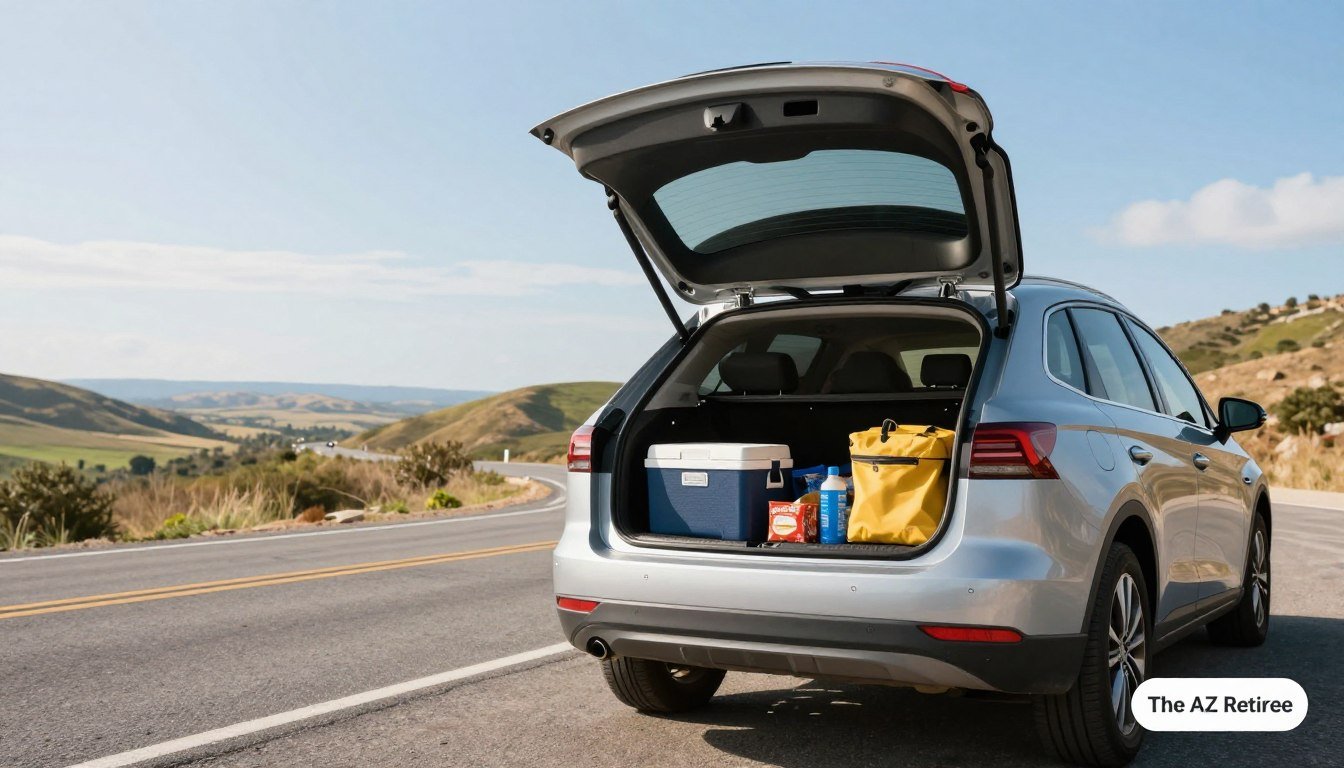
Picture this: you’re far from home, the car starts making a new noise, and the nearest shop is nowhere close. The snacks are plentiful; the plan, less so.
That kind of preventable surprise can turn a fun summer road trip into an expensive roadside pause. I like my roadside stops with a view, not a repair bill, so a little prep makes sense.
This plan covers five simple DIY checks and practical dash tech. The under-$150 target applies to one selected upgrade, not every item you might buy together.
Cold tire pressure means the pressure reading taken before driving, while the tires are still cool. Check the car first, then decide which cabin upgrade earns its space.
Key Takeaways
- Check the car before spending on optional tech.
- Use the door-jamb placard or manual for tire pressure.
- Choose one upgrade that fixes a real trip problem.
- Set up devices while parked, not while driving.
- Carry basic emergency and comfort essentials.
What Does Budget Road Trip Car Prep and Dash Tech Include?
Useful preparation has two parts: a safe-to-drive car and only the tech or comfort gear your trip needs. Safety comes first, even when the gadget aisle is calling your name.
Handle repairs and essential safety needs before buying optional gadgets. The five DIY checks cover tires, fluids, battery, lights and wipers, and brakes.
Fix vehicle problems before spending on convenience gear. A gadget cannot make an unsafe car ready to go.
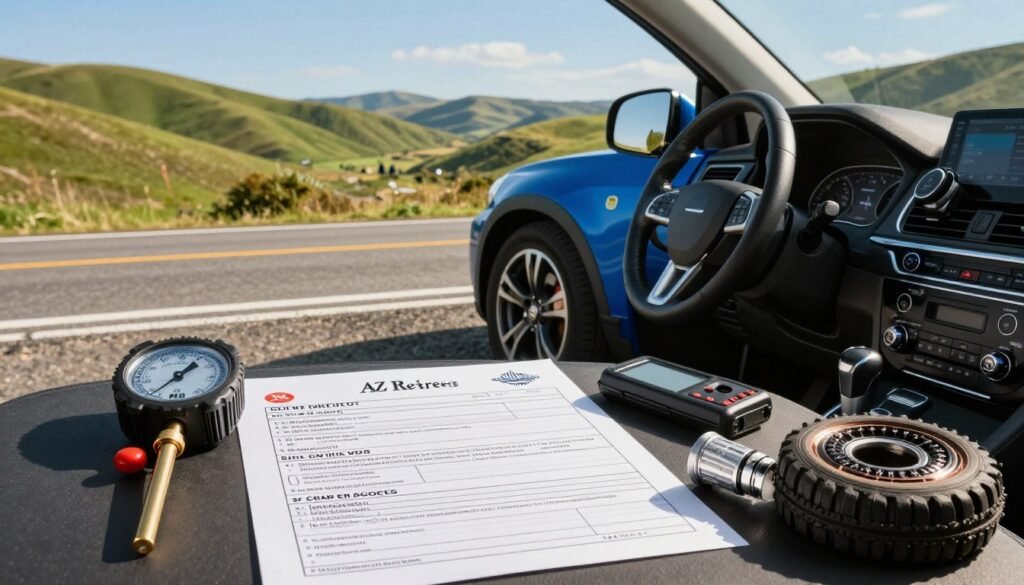
Those checks help you spot issues that deserve attention before the car is loaded. They do not replace a mechanic’s inspection or repair when something seems wrong.
Comfort and tech purchases solve different problems. A phone mount can help keep maps in view, while a water bottle gives a passenger somewhere to put a drink besides your seat.
Start with the five checks that matter
Start with the vehicle essentials, then choose gear to match the trip. A long drive through remote areas may call for better navigation backups than a short trip between towns.
DIY checks are simple observations, not invitations to perform risky repairs. If a warning light appears or a part looks damaged, get proper help before setting out.
Set a spending limit before shopping.
The $150 ceiling is for one chosen upgrade, not a promise that every useful item together costs less. Even small purchases add up when you start shopping for the whole car.
Set your limit before browsing, and decide which problem matters most. A mount, charger, or dash cam can wait if the vehicle needs a repair first.
Tire trouble is one of the easiest problems to catch at home. Start with the rubber that meets the road.
How Do You Check Tires at Home?
A tire can look fine from across the driveway and still sit low when you check it with a gauge. Use the right number: compare cold tire pressure with the door-jamb placard or owner’s manual, not the tire’s maximum pressure.
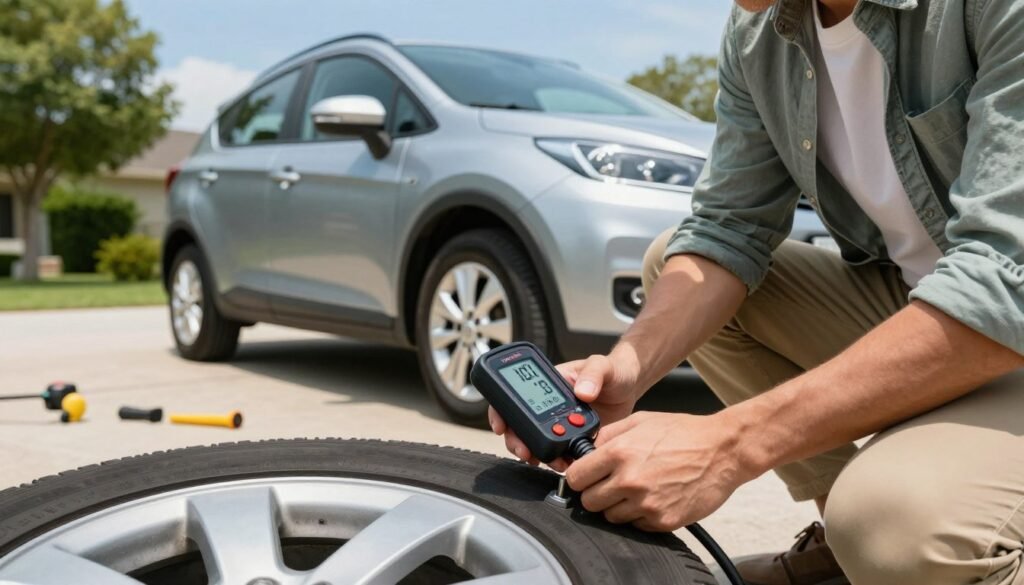
Check pressure before driving, while the tires are cool. Remove the valve cap, press a tire gauge onto the valve stem, and compare the reading with the vehicle’s recommended pressure.
Add air if needed, then check again. The maximum pressure printed on the tire is not the target for your car, even if the number looks official and confident.
Check pressure and tread
Look across the tread for uneven wear, cuts, or objects lodged in the rubber. The penny test offers a quick screen: put a penny headfirst into a tread groove.
If you can see all of Lincoln’s head, the tread is too worn to pass the test. It is a shortcut, not a full tread-depth measure or a safety guarantee.
Look for damage before loading the car.
Inspect each sidewall for bulges, cracks, or embedded objects. A bulge or deep cut is a reason to stop and seek professional advice, not a spot to patch with optimism.
Check the spare too, if your vehicle has one. A flat or damaged spare is a disappointing surprise, especially when it has been waiting quietly under the cargo floor.
| Check | What to do | Red flag |
|---|---|---|
| Pressure | Gauge each cool tire; match the door placard | Reading stays below the recommended level |
| Tread | Use a penny headfirst in a groove | Lincoln’s full head remains visible |
| Visible damage | Scan tread and sidewalls for cuts or bulges | Bulge, deep crack, or lodged object |
The penny test is only a screening shortcut. It cannot make a damaged tire safe or replace professional advice when wear or damage concerns you.
Once the rubber looks sound, move under the hood to the fluids that keep the engine and other systems working.
Which Fluids Should You Check Before Leaving?
A low fluid mark is easier to deal with in your driveway than at a remote stop. Check the levels, but treat a sudden drop, warning light, or fresh puddle as a problem to investigate before leaving.
Your owner’s manual shows where to find the reservoirs and how to read their marks. Use it as your guide, since parts can sit in different places across vehicles.
Check engine oil on level ground using the method in the manual. A reading below the marked range needs attention, especially if the level has dropped since your last check.
Coolant helps manage engine heat. Never open a hot coolant system. Let the engine cool fully, then check the level at the marked reservoir.
Brake fluid belongs on the list because a low level can point to a serious issue. Don’t assume it’ssume it’s just a drop.
Windshield washer fluid is simple but useful, especially when summer bugs and road grime turn the glass into a moving abstract painting. Fill it before departure if the level is low.
Look beneath the car for fresh puddles, too—a leak or warning light calls for investigation, not a quick top-off and a hopeful shrug.
If you see a sudden change, avoid guessing at a repair. A mechanic can find the cause before it turns into a roadside problem.
Fluids are visible and easy to check; the battery can fail with less warning, so give it a look next.
How Can You Spot a Weak Battery Before the Trip?
An engine that cranks sluggishly on a cold morning may be giving you a useful warning. Do not wait: slow cranking, dim startup lights, terminal corrosion, or an older battery are reasons to get it tested.
A typical lead-acid car battery often lasts about 3-5 years. That is a rule of thumb, not a countdown clock; climate, driving patterns, and maintenance affect battery life.
Watch how the vehicle starts over several drives. A single slow start may have many causes, but repeated sluggish cranking deserves attention before a long road trip.
Dim lights during startup can also point to a battery or charging concern. Corrosion around the terminals is another reason to have the system checked rather than scraping at it without knowing what you are doing.
If the battery is near or past the usual age range, ask for a test before heading far from home. Testing can show whether it still holds enough power for reliable starts.
A portable jump starter can help if the car will not start. It does not repair a failing battery, so don’t treat a successful jump as proof the problem is gone.
Good battery power matters at home and on the road, but it will not tell you whether every light works. Next, check what other drivers can see.
Are Your Lights and Wipers Ready for Highway Miles?
At dusk, a failed rear light can leave the driver unaware until someone behind flashes their headlights. Ask for a second set of eyes, and make sure every light and wiper works before a long drive.
Ask someone to check your headlights, brake lights, turn signals, and hazard lights while you switch them on. A helper can see the rear lights while you stay at the controls.
Test both low and high beams. One working headlight setting does not prove the other works, a small detail that matters when a dark road shows up without an invitation.
Check wipers for streaking, skipping, or cracked rubber. A blade that smears water across the glass can make rain feel like a badly edited movie scene.
Clean the windshield inside and out, then replace worn blades before leaving. Dirt and glare can worsen visibility, especially at night or in highway spray.
Turn signals and hazard lights help other drivers understand what you plan to do. If any light fails, fix the issue before relying on it in traffic.
These visibility checks are quick, but they only help if the car can stop as expected. Finish the hands-on safety checks with the brakes.
Can You Spot Brake Problems and Pack Emergency Gear?
If postpone departure and get help. Do not gamble: have unusual brake signs checked by a professional instead of trying a last-minute repair.
Notice brake warning lights, grinding or squealing, pulling to one side, or a pedal that feels different. These signs can point to a problem that should not wait until the next convenient exit.
Do not try to diagnose a brake fault from a quick driveway glance. A qualified mechanic can inspect the system and tell you whether the car is roadworthy.
Once the vehicle is safe, pack a few emergency essentials within reach. Keep the items together so you are not digging beneath a suitcase during a stressful stop.
- First-aid supplies for minor injuries
- A flashlight or headlamp for low-light tasks
- Reflective warning equipment to help others see you
- Drinking water for passengers
- A phone charging cable
- A jump starter or jumper cables; choose one approach
A jump starter and jumper cables are alternatives, not both requirements. Pick the option you know how to use, and follow its instructions.
With the car checks done, tech can be an optional helper. Start with navigation gear that makes maps easier to see without adding a new safety problem.
Which Phone Mount Keeps Navigation in View?
Your phone slides off the passenger seat just as maps call out a turn, and suddenly you are reaching around like a very poor magician. Keep navigation in view: choose a mount that holds the phone securely without blocking your sightline.
Mount styles trade placement for adjustability. Suction cups often attach to a windshield or smooth dashboard, while vent clips hold the phone near an air vent.
Pick a mounting style that suits the cabin.
Adhesive or dashboard mounts can give you a steady spot, but some have limited adjustment or leave residue. Check the surface and the reach from the driver’s seat before settling on one.
The iOttie Easy One Touch 5 can mount on a windshield or dashboard. That flexibility may help in different cabins, though you still need to check visibility in the final position.
| Mount style | Typical placement | Useful when | Watch for |
|---|---|---|---|
| Suction cup | Windshield or smooth dashboard | You want an adjustable position | Heat or dust may weaken the hold |
| Vent clip | Air vent slats | You want the phone near the dash | Clip may block airflow or fit poorly |
| Adhesive or dashboard | Flat dashboard surface | You prefer a fixed spot | Adhesive may leave residue |
| Cradle mount | Windshield or dash base | You want a firm phone grip | Check that the phone fits the cradle |
Position the phone without blocking your view
Place the screen where a glance does not hide pedestrians, traffic lights, or the road ahead. A mount should not force you to lean or reach to see directions.
Check local rules before mounting anything on the windshield. Laws and vehicle layouts vary, and a mount that fits your car may still sit in a poor spot.
A secure mount keeps the phone visible, but it does not charge the battery. Next, set up power without filling the cabin with cords.
How Can You Charge Phones Without a Cord Spaghetti Situation?
Three passengers notice their batteries are nearly empty at the same time, and every cable in the car is mysteriously the wrong one. Match the setup first: choose charger ports and cable ends for the devices people actually bring.
Count phones, tablets, and other devices before buying a multiport car charger. Check whether each cable needs USB-A or USB-C at the charger end, then match the other end to the device.
Some multi-tip connectors cover several combinations. A Statik connector supports USB-A to USB-C, USB-A to Lightning, USB-C to USB-C, and USB-C to Lightning connections.
That range can reduce the number of loose cables, but it still needs to fit the devices in your car. A charger that blocks the neighboring outlet can create a new problem while solving the old one.
- Assign each charger port before departure.
- Bundle or label cables by device.
- Carry one spare cable that fits a passenger’s device.
- Check that the charger leaves nearby outlets open.
Keep the cords clear of the driver’s feet and controls. The driver should not untangle a cable while merging.
When basic charging is sorted, consider a device that records what happens on the road: a dash cam.
Is a Budget Dash Cam Worth Adding?
A small fender-bender at a busy intersection can leave drivers with different memories of the same few seconds. A dash cam can help document events, but footage does not prevent a crash or guarantee an insurance outcome.
Decide what you want recorded before choosing a camera. A dash cam may capture a collision or an unusual event, but it cannot replace safe driving or settle every dispute.
Decide what you want recorded
Some drivers want a clear record of the road ahead. Others may care about cabin footage or parking features, which can affect the camera and setup they choose.
The Vantrue E1 Pro is one example of a compact dash cam with 4K recording. That specification describes the camera, not a promise that every detail will be clear in all conditions.
Check storage, placement, and setup.
Check the memory-card capacity the camera supports and how much footage it can store. Loop recording usually replaces older clips as the card fills, so learn how to save an important file.
Use a secure mount and position the dash cam so it does not obstruct the driver’s view. A loose camera can distract you or fall when the road gets rough.
Review the settings before you leave, including the date, time, and recording options. Confirm the camera records and saves footage rather than assuming the tiny red light means everything is perfect.
Check state rules on audio recording and device placement. Laws vary, especially for recording conversations or mounting equipment near the windshield.
A dash cam records the route, but it cannot guide you when cell service disappears. Prepare a navigation backup before the map app goes quiet.
What Navigation Backup Works When Service Drops?
Your map app stops loading just as the route leaves a populated area, and the blue dot begins its solo career. Prepare before coverage fades: download offline maps while you still have a reliable connection.
Offline maps can guide you without mobile data if you save the right area ahead of time. Check that the download covers the full route, not just the first town beyond the highway.
A paper map is a no-battery backup if your phone or app fails. Keep it within reach, and know the route well enough to use it safely.
- Save the full route and check the destination address.
- Download offline maps before leaving service.
- Keep a paper map for remote stretches.
- Review the route and major turns before driving.
A signal booster may help in some areas, but it cannot create service where no compatible network signal exists. Do not count on one as your only navigation plan.
Marking a route by hand may feel old-fashioned, but paper has never asked for a software update. Once navigation has a backup, think about powering larger devices in the car.
When Does a Car Power Inverter Make Sense?
If you need to charge a laptop, not another phone, the car’s USB ports will not help much. That is where an inverter may fit: check the device’s wattage and the vehicle outlet limit before plugging it in.
A power inverter changes vehicle power into household-style power for devices with standard plugs. It can suit a laptop or other plug-in device, while a USB charger or power bank is often simpler for phones.
A 200-watt Foval power inverter plugs into a 12-volt outlet and converts 12-volt DC to 110-volt AC. It has two standard outlets and four USB-C ports.
Those ports do not mean every device can safely run on it. Check the device’s wattage, the vehicle outlet limit, and the inverter instructions before use.
High-draw devices used for a long time can drain the vehicle battery. Avoid running demanding gear while the engine is off unless your vehicle and inverter instructions allow it.
For a phone, a basic car charger or power bank may be easier to manage. A laptop or plug-in device is the stronger reason to carry the larger box.
Electrical gear handles power, not passenger moods. Next, look at low-cost ways to keep the cabin more comfortable and organized.
Which Low-Cost Comfort Upgrades Keep the Cabin Civil?
A warm passenger, an empty snack bag, and a drink with nowhere secure to sit can turn a cabin into a tiny sitcom. Small comforts help: choose items that fit your car and stay within easy reach.
Window shades can help block sun for passengers, especially kids riding in the back. Check the shape and size against your vehicle; a shade that does not fit is just a floppy decoration.
A four-pack of EcoNour window shades includes two lighter and two darker shades. The mix offers options, but it does not guarantee a fit in every car.
Give each passenger a reusable water bottle and a spot to store it. An oversized bottle is useless if it tips around or does not fit the cup holder.
Keep easy-to-reach snacks in a small bag or bin. Individual portions can help avoid a mid-drive search through a family-size bag that has already spilled once.
Wipes and a small trash container make cleanup easier. A lidded container can hold wrappers until the next stop, instead of letting them migrate beneath the seats.
Ask passengers what they will actually use before buying extras. The best comfort gear fits the trip, not the bag of items that never leaves the trunk.
Now that comfort has a place in the plan, choose which upgrades genuinely fit your budget.
How Can You Keep Dash Tech Under $150?
$150 is a sensible ceiling for one chosen upgrade, not a magic price for a complete car kit. Pick one weak spot: fix the problem that matters most before adding more dash tech.
Typical U.S. shopping ranges for basic phone mounts are about $10-40, multiport car chargers about $10-30, and entry-level dash cams about $50-150.
Choose one upgrade by the problem it solves
Features, storage, and retailer pricing affect the cost, so select an option currently below your $150 ceiling. A camera may need a memory card, while a charger may need cables that match your devices.
| Upgrade | Typical U.S. price | Best fit | Possible extra cost |
|---|---|---|---|
| Basic phone mount | About $10-40 | Keeping maps in view | Adhesive base or replacement grip |
| Multiport car charger | About $10-30 | Charging several devices | Cables for each device |
| Entry-level dash cam | About $50-150 | Recording road events | Memory card or mount |
| Power bank | Varies by model | Charging away from outlets | Charging cable or case |
Leave room for the accessories it needs
Check the current total before checkout, including the pieces needed to use the device. A low listed price is less helpful if the camera cannot record without a separate card.
Use gear you already own when it is safe and compatible. A spare charger or suitable power bank may solve the problem without another purchase.
Think of the cap as a limit for one upgrade, not a shopping dare. Once you choose what to buy, set it up and test it before departure.
What Should You Set Up Before the First Mile?
You start the trip, then discover the dash cam has no memory card. Test new gear at home: set up and check every device while parked, never during a moving drive.
An unfamiliar dash cam deserves a home test run before you rely on it. Learn how to start recording, save a clip, and check that files appear on the card.
- Update map apps before leaving.
- Download offline maps and entertainment over Wi-Fi.
- Charge devices and power banks.
- Test the phone mount while parked.
- Confirm the dash cam records and saves footage.
- Pack spare cables that fit your devices.
Try the mount with your phone in place and check whether it stays secure. Confirm the screen remains easy to see without blocking your view.
Charge devices and power banks before departure, then put them where they will not roll under a seat. Pack spare cables in one place, not in the mysterious cable nest.
Downloading entertainment over Wi-Fi can save data and avoid buffering on a remote stretch. Choose content before the trip so nobody is browsing while the car moves.
Set up and test everything while parked. Once the wheels are moving, use the equipment safely and let the driver focus on the road.
How Do You Use Road Trip Tech Without Adding Distractions?
A notification appears just as the driver reaches a complicated interchange, because phones have a flair for timing. Set things up before moving: enter routes and choose audio while parked, then pull over safely before adjusting equipment.
Use hands-free controls where lawful, but remember a phone mount doesn’t make every interaction safe or legal. If a setting takes more than a quick voice command, wait until you stop.
Passengers can manage entertainment and charging while the driver focuses. That division of labor is simple, useful, and less dramatic than asking the driver to find a playlist at highway speed.
| Situation | Safer choice | Avoid |
|---|---|---|
| Navigation changes | Pull over safely before changing the route | Typing while the car moves |
| Dash cam alert | Ignore it until a safe stop | Reaching for the camera in traffic |
| Passenger device request | Ask a passenger to handle it | Turning around to fix a screen |
Set your route before driving, and wait for a safe stop before changing gear. Let passengers handle screens when you need to focus.
A dash cam alert does not require an instant response. Keep your attention on traffic, then check the device after you park somewhere safe.
Passengers can help with music, charging, and simple requests. If you are driving alone, wait until you can stop safely instead of reaching for a phone or camera.
Road trip tech should make the drive easier, not give you a second job. Start with a calm plan, and aim for the kind of miles that barely earn a story.
Conclusion
The best budget upgrade is often the problem you catch before departure. Vehicle readiness beats another gadget, especially when a warning light or low tire pressure needs attention.
Check one thing today, starting with cold tire pressure or a warning light. Fix what needs fixing, then choose tech that solves a real trip problem.
There is no prize for collecting roadside souvenirs, unless you count the receipt. I prefer uneventful miles, and I bet you do too.